The Brief
An open brief, a platform nobody on the team had designed for before
A Purdue Japanese professor approached our UX department with a deceptively simple ask: create a VR experience that helps his Japanese 101 students learn. The only hard constraints were that it had to be in VR and it had to be educational. Everything else, content, mechanics, interaction model, was up to us.
That kind of open-ended brief sounds freeing, but it actually requires more upfront research discipline. Without a defined problem, it's easy to jump straight to ideas. We resisted that by first understanding three things: who our users actually were, what the VR platform could and couldn't do, and how Japanese is pedagogically taught to first-time learners.
Research
Three parallel tracks before a single idea was sketched
We ran three research streams simultaneously, because each one would constrain the design in important ways. Skipping any of them would have meant designing blind on a critical axis.
1: User research — Japanese 101 students
We interviewed 5 students about their existing learning struggles, what tools they already use, and what motivates them to practice outside of class. The goal was to find gaps in the current experience, not just validate our assumptions.
2: Platform research — VR affordances
As the team's VR specialist, I ran a hands-on session where the rest of the team tried Beat Saber and Superhot for the first time. The goal wasn't fun — it was helping them internalize what VR uniquely enables: physical, embodied interaction, spatial presence, and a sense of "being somewhere."
3: Domain research — Japanese pedagogy
Our sponsor shared the actual materials he uses in class. We needed to understand how Hiragana, Katakana, sound-shape associations, and vocabulary are taught sequentially — so we didn't accidentally design an experience that conflicted with established learning science.
Character recall was the biggest pain point
Students could often recognize characters passively but struggled to recall them actively when reading or writing. The system of Japanese characters felt like a completely new alphabet with no phonetic anchor.
Duolingo was the default, but it had gaps
Most students already used Duolingo to supplement class. But it's screen-based and passive. VR offered something Duolingo couldn't: physical interaction with objects labeled in Japanese.
Immersion in Japanese media helped
Several students mentioned watching anime or listening to Japanese music as an informal practice method. This confirmed that contextual, ambient exposure to the language — not just drilling — mattered to them.
VR's superpower is embodied learning
The hands-on platform session made it clear: VR's unique value isn't that it looks cool. It's that it makes abstract interactions physical — picking up an object labeled in Japanese creates a memory trace that a flashcard can't.
Ideation
From escape rooms to sushi — finding the right metaphor
With our research grounding us, we opened up into a broad ideation phase. We explored an escape room format, a scavenger hunt, and a collaborative painting game before landing on the concept that fit best: a sushi restaurant simulation we called "Sushi Tycoon."
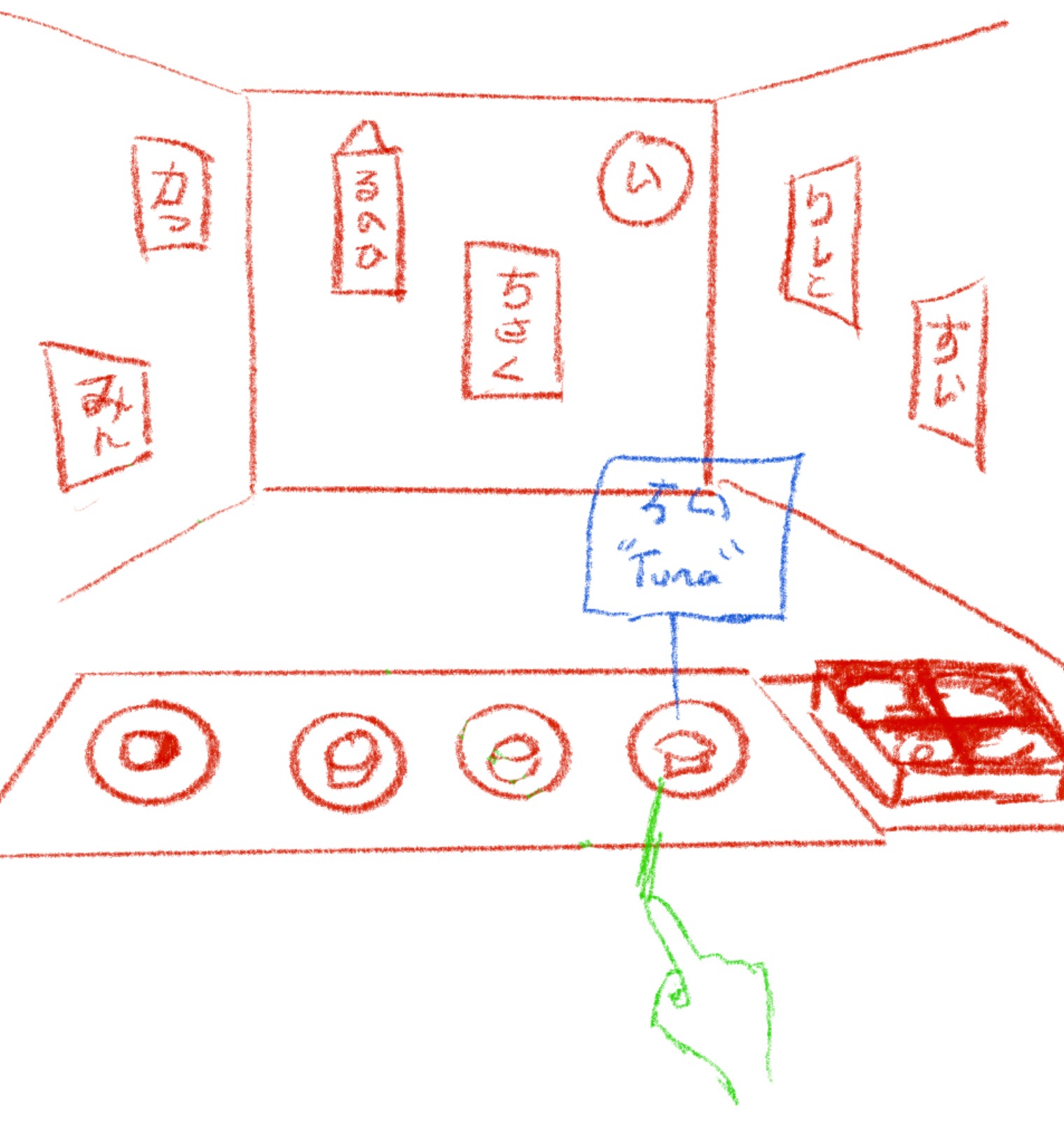
The core loop: an NPC customer places an order by speaking a Japanese phrase. The player then physically assembles the correct sushi using ingredients labeled with the corresponding Japanese characters. The interaction directly addressed the pain point we'd found: active character recall in a physical, high-feedback context.
The sushi restaurant wasn't chosen for aesthetic reasons. It was chosen because it naturally embeds Japanese vocabulary into a physical task; every ingredient on the counter is an opportunity to practice reading and recall without it feeling like drilling.
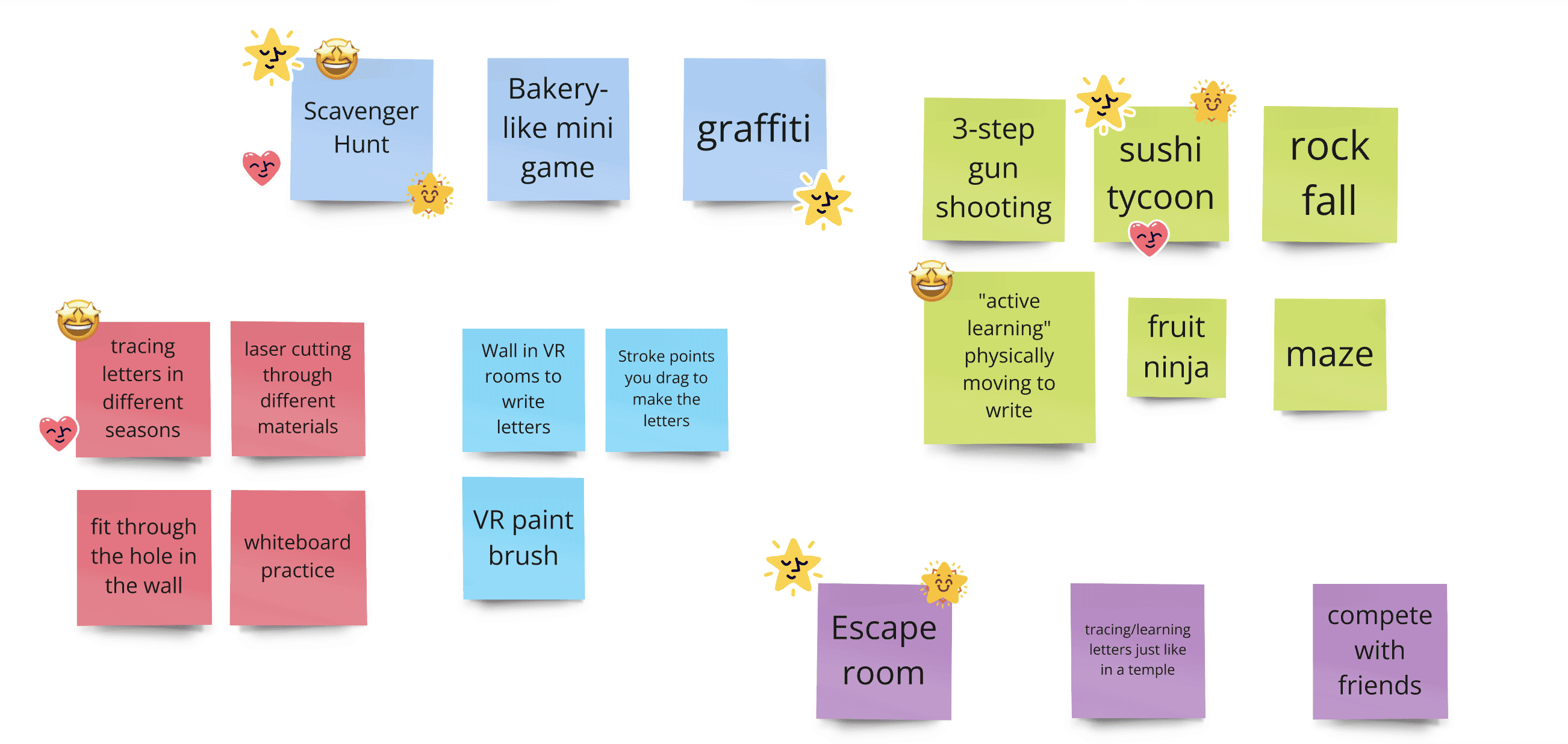
Using Miro, we explored many different concepts for a VR game that covers both Japanese vocabulary and character memorization.
Beyond the core mechanic, we also designed for retention and motivation. I designed a menu UI using a recipe book metaphor, flipping through pages to access progress tracking and game options, which kept the theming consistent and grounded. An in-game currency system lets players unlock restaurant upgrades (wallpaper, decor, dishes), giving them a reason to keep playing beyond the learning objective itself.
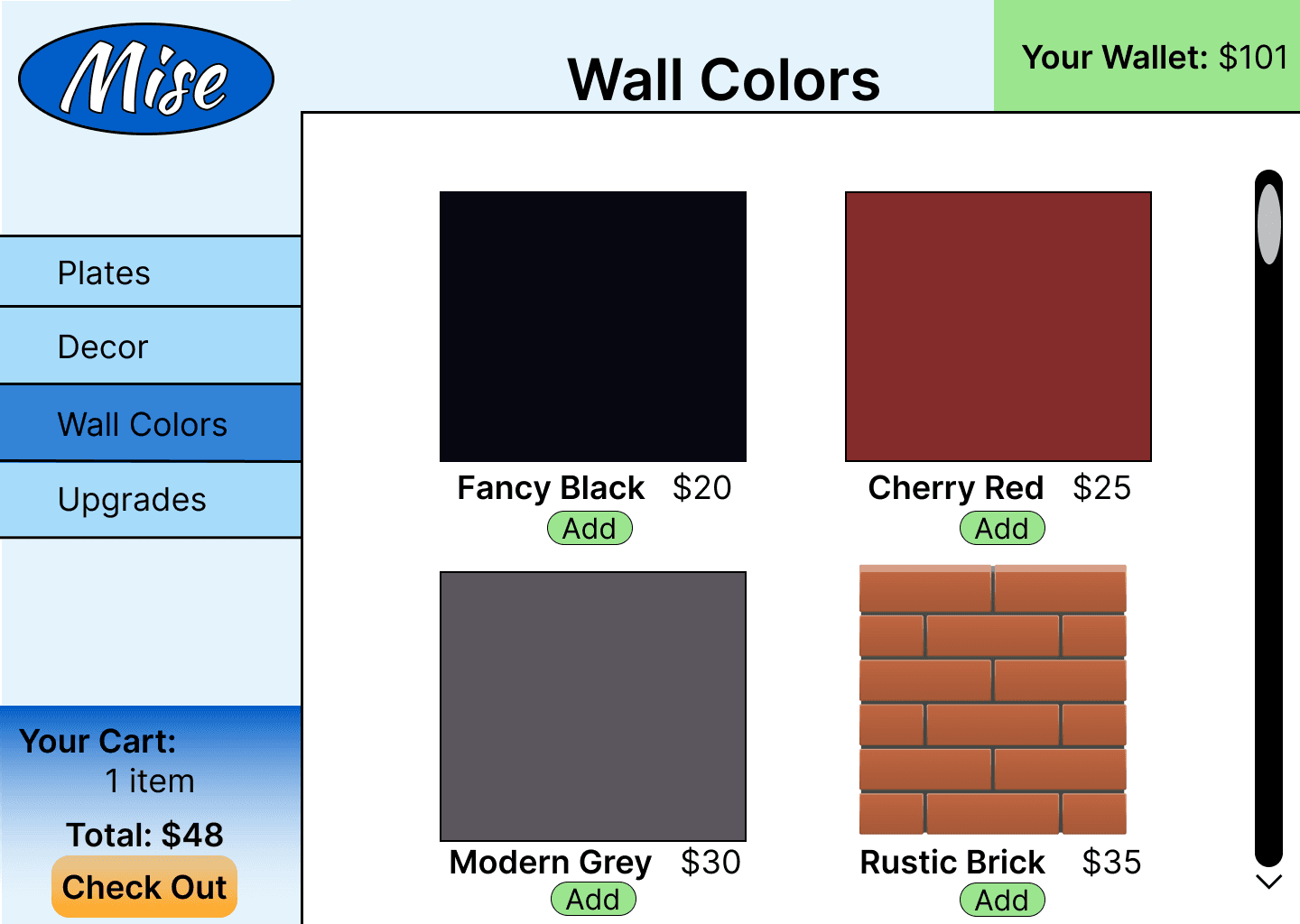
In Figma, I made a simple mockup of what the in-game upgrade menu could look like, focusing on features to improve customization and gameplay longevity.
Prototyping
If VR simulates real life, why not use real life to simulate VR?
Here's the constraint we hit: none of us had Unity experience, and we didn't have time to learn it. We couldn't build a digital VR prototype. So we asked ourselves a different question: what is VR actually trying to do?
VR simulates physical, embodied interaction. So we went physical.
We ran body-storming sessions: a physical prototyping method where team members act out the experience using paper props. We built paper versions of the sushi counter, ingredient cards labeled in Japanese, order slips, and customer cue cards. Then we had teammates play through the game in real time while observers watched for confusion, hesitation, and moments of delight.
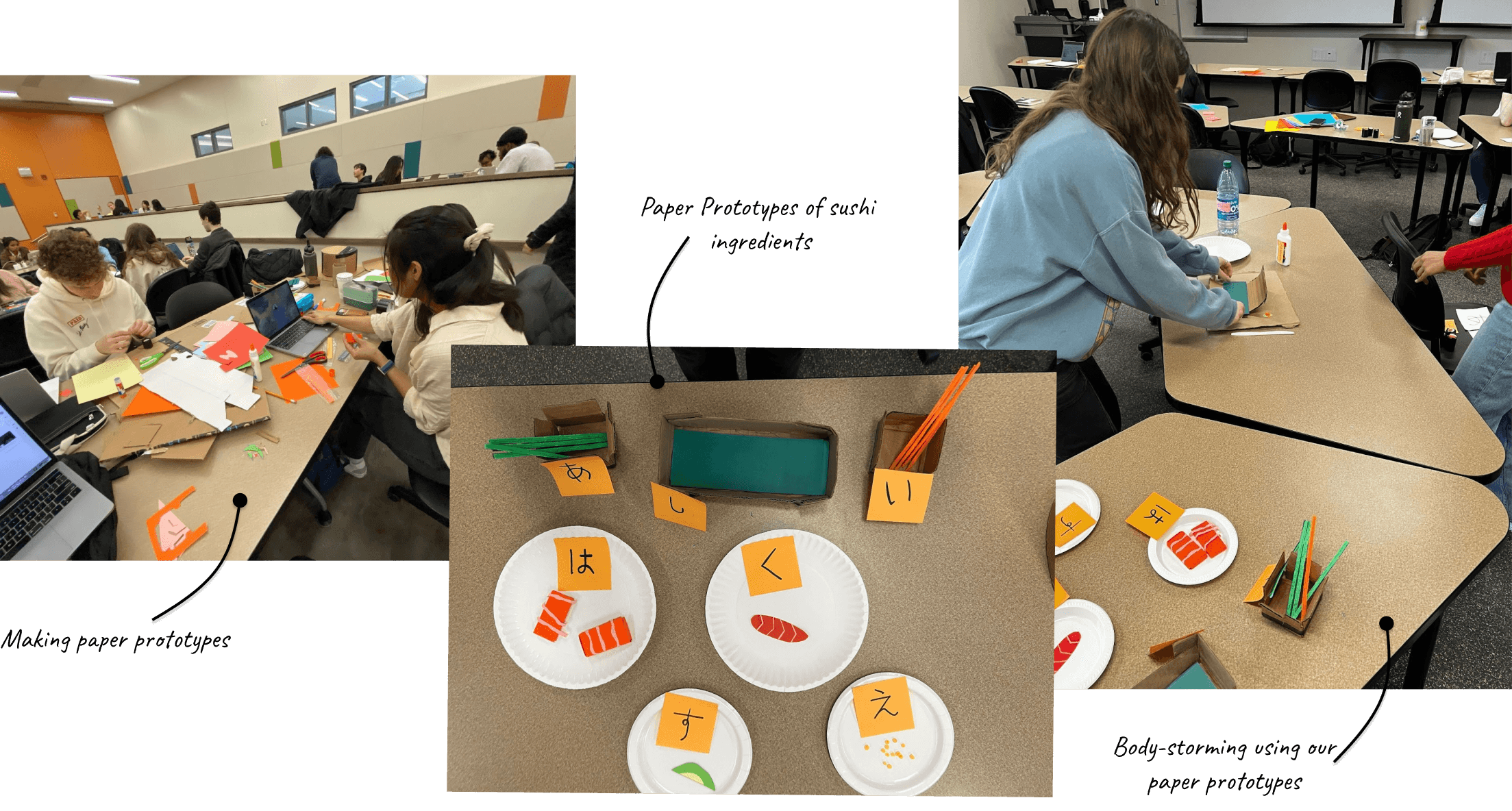
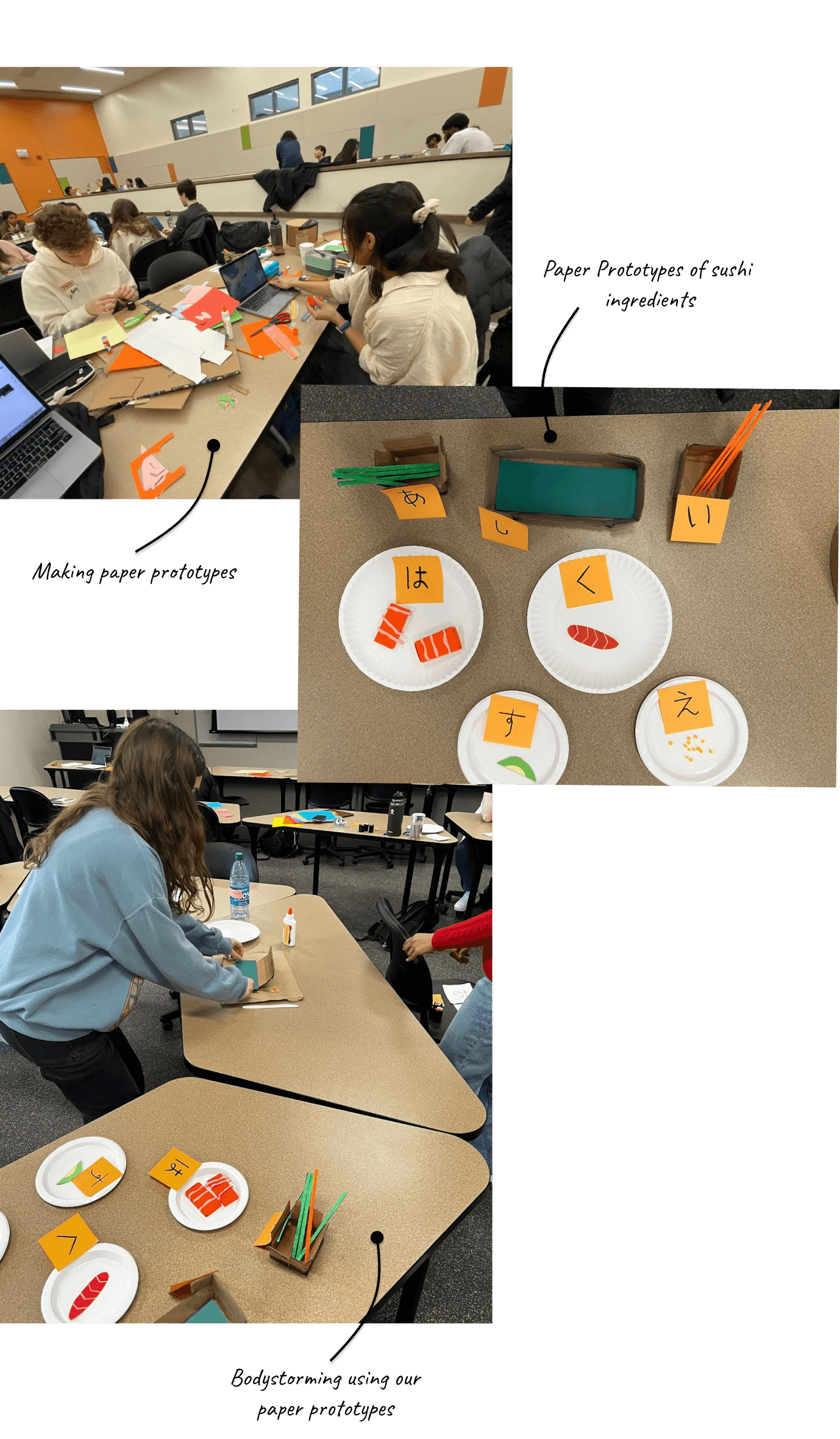
Body-storming in action. Paper prototypes of sushi ingredients and order slips let us test the core mechanic without any code.
For the final deliverable to our sponsor, we produced a first-person POV demo video simulating the VR onboarding flow, written, filmed, and acted by the team. We even cast the professor himself in a cameo. This gave stakeholders a concrete, watchable representation of the experience before a line of code was written.
Preview of how the game would open
Design Details
Designing the writing mechanic and user flows
One of the most technically interesting design problems was how to incorporate writing Japanese characters in VR — not just recognition. We explored having players "write" a character with their controller as a condiment on the sushi, matching it to the character shown in the order. The physical act of tracing a character reinforces recall in a way passive reading doesn't.
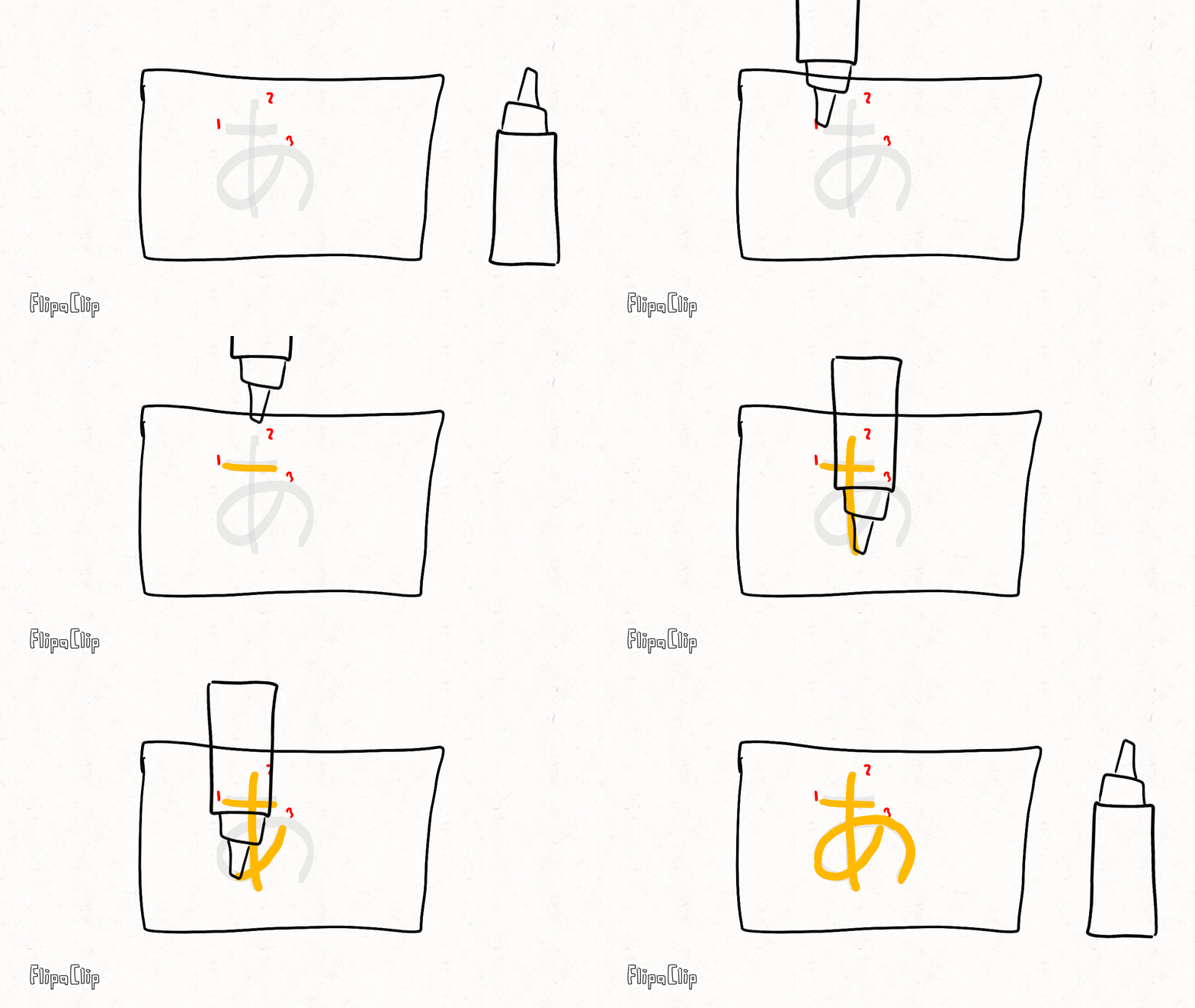
We had the thought of adding "garnishes" to dishes in the form of sauce, but the user would trace a Japanese character with the sauce.
User flow diagrams in Miro helped us think through edge cases we'd missed entirely. Mapping the full onboarding flow raised questions like: what if the player already has some Japanese experience? How do we pace difficulty for different skill levels? When does the game slow down to let a learner breathe? None of these questions surfaced during ideation. They only became visible when we traced the full journey step by step.
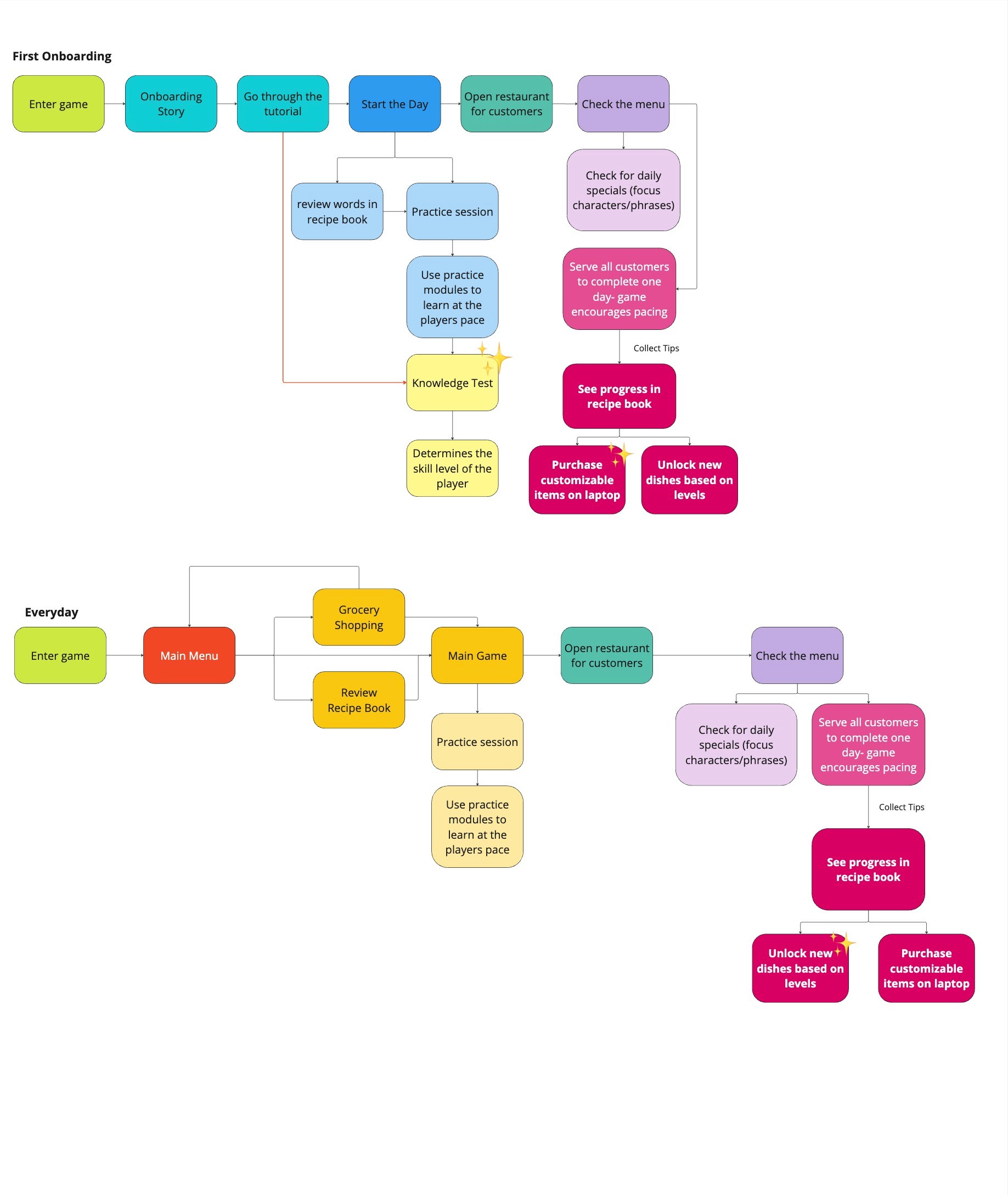
To figure out how the game would progress, we mapped out the onboarding process, including a "knowledge test" to set the players' difficulty.
Testing
Testing a physical prototype like it was the real thing
We recruited 5 UX students to "play" through the body-storming prototype the same way we had done in development. Ideally we would have tested with actual Japanese 101 students, our real users, but time constraints made that impossible. It's worth naming that limitation honestly: testing with a proxy audience gives you interaction feedback, but it doesn't give you domain-authentic feedback on the learning mechanics.
That caveat aside, the testing surfaced three clear and actionable insights that changed the design before handoff:

Context-based phrases had more retention value
Vocabulary embedded in a real scenario ("I'd like salmon, please") was more memorable than isolated character drills. This validated the restaurant setting as more than a theme; the context was doing learning work.

Delayed feedback broke the learning loop
Players wanted to know immediately whether they'd assembled the right sushi, not at the end of the full order. Waiting to reveal correctness felt more like a quiz than a game, and broke the moment-to-moment reward cycle that keeps players engaged.
A hint system was needed — but not intrusive
Participants who got stuck wanted a way to ask for help without it feeling like a failure state. An optional hint mechanic (rather than automatic hints) gives struggling learners agency while preserving the challenge for players who don't need it.
Reflection
What this project taught me
Constraints forced a better method
Not being able to build in Unity felt like a setback. It turned out to be the reason we discovered body-storming as an approach, which was ultimately a more efficient and revealing prototyping method for this kind of embodied interaction than a digital mock would have been. The constraint didn't just make us adapt, it made the work better.
Leading a team without managing it
As the only Master's student on a mostly undergrad team, I had a choice about how to use that seniority. I chose to use it to support rather than direct; surfacing quieter members in sponsor meetings, building confidence rather than just building deliverables. By the final presentation, the team carried themselves differently. That's a design outcome too, even if it doesn't show up in a Figma file.
Name your testing limitations explicitly
We tested with UX students instead of Japanese 101 students; that's a real gap. UX students bring pattern recognition about interface conventions that actual learners won't have, and they can't validate whether the learning mechanics actually work. Naming that limitation clearly in the handoff documentation wasn't a failure admission; it was a signal of research maturity.
Next Steps
The design was handed off to developers with full documentation: flow diagrams, mechanic descriptions, UI mockups, and the body-storming video as a reference. The immediate next step would be testing with actual Japanese 101 students, specifically evaluating whether the character recall mechanic and pacing system produce measurable learning improvement versus existing tools like Duolingo. Longer term, difficulty scaling and multi-player modes (where students could practice with each other as NPCs) would be worth exploring.
Preview of current developer progress.