Research & Discovery
Competitive Analysis
I reviewed holiday campaign pages from key competitors to learn what components are included in more "inspirational" pages like this lookbook.
Key takeaways:
Strong sectional narratives to break the page into digestible emotional chapters
Each section had a named theme, a supporting headline, and a clear CTA
Shopper Personas
The Practical Gift-Giver: Parents upgrading a child's room as a "big" holiday present. High purchase intent, needs clear specs and savings signals.
The Supplemental Shopper: Buying stocking stuffers, bedding, or accessories to complement existing furniture. Needs easy access to low-AOV items.
The Discovery Browser: No specific item in mind but drawn to lifestyle imagery. Most likely to convert if emotional narrative resonates.
Design Strategy
Based on the research phase, as well as meetings with stakeholders and merchandizing teams, I defined a page architecture built around three main selling points — each with its own emotional tone, product focus, and visual rhythm. This approach gives different shopper types a natural entry point and reduces cognitive load by segmenting the full catalog into curated, purposeful collections.
Section 1: New Arrivals
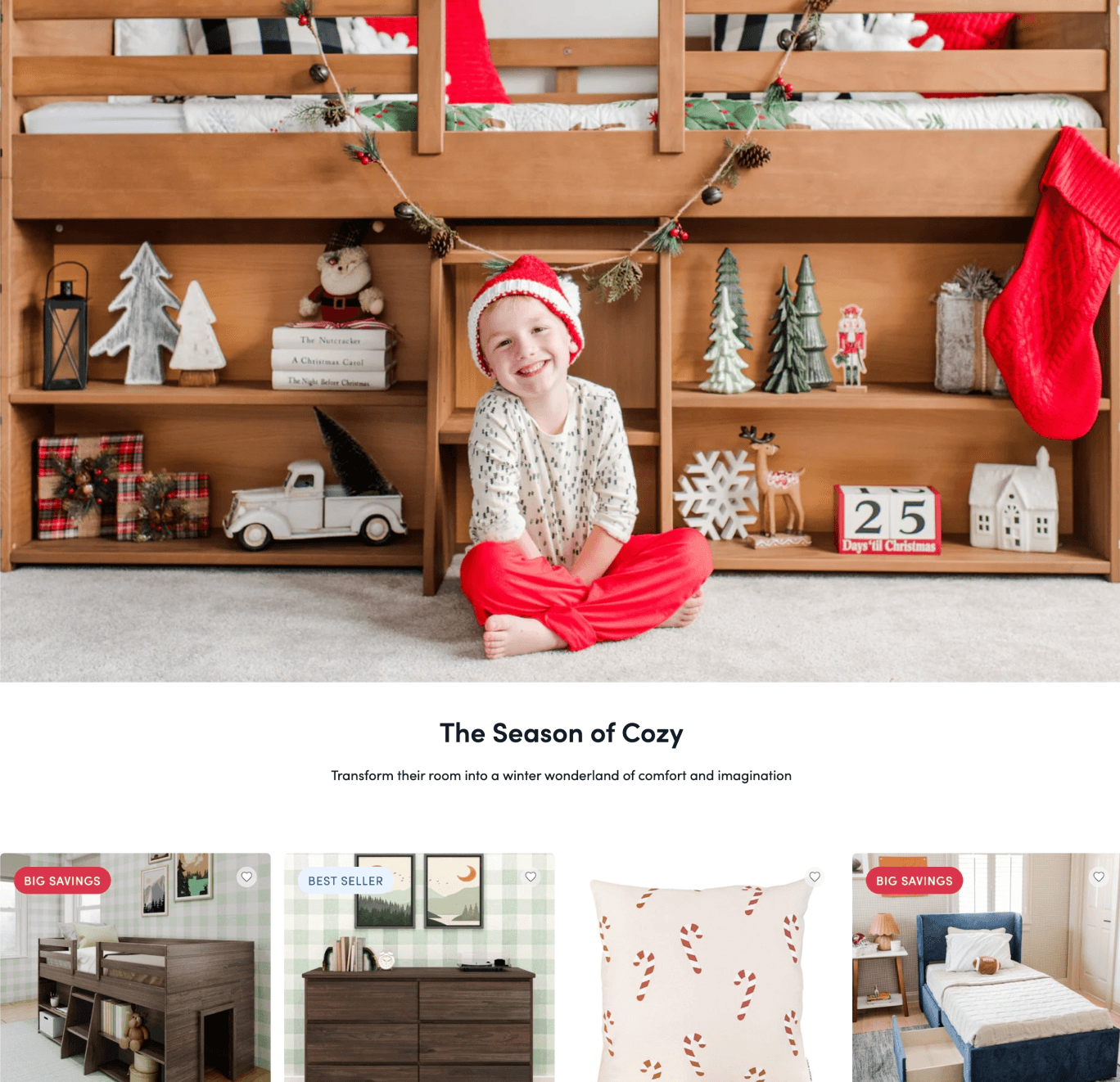
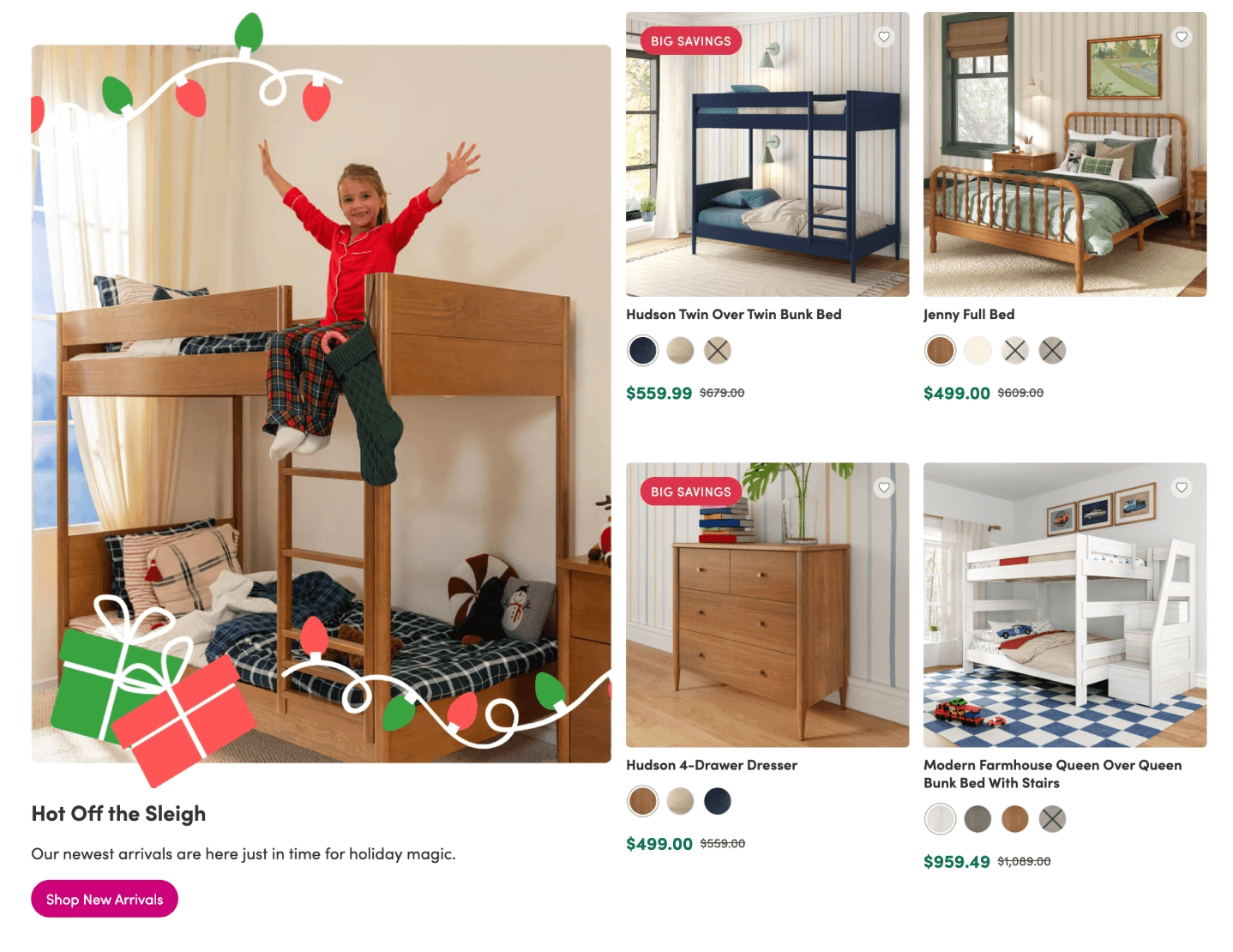
New arrivals framed as holiday exclusives. Hero imagery of a child in holiday pajamas on a bunk bed establishes the emotional tone immediately. A bold product grid with clear discount callouts featuring a mix of products used in the featured lifestyle image. All hero images in these side-by-side blocks (single column on mobile) feature fun, on-theme "stickers" to provide an extra layer of childlike whimsy, fitting the brand.
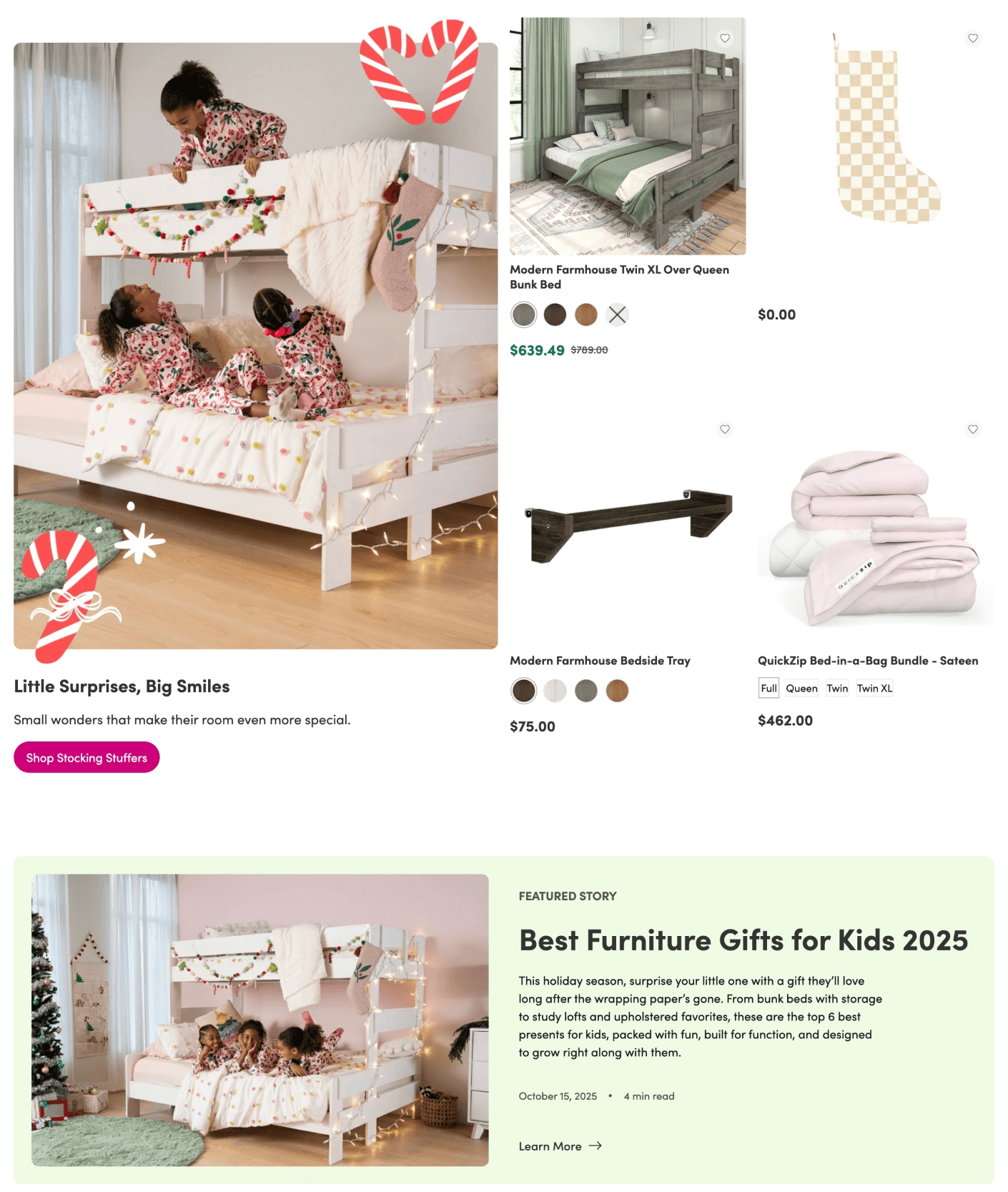
Sections 2 & 4: "Stocking Stuffers" & Holiday Decor
A deliberate shift in scale and price point. After leading with high-consideration furniture purchases, the page transitions into stocking stuffers and holiday decor modules designed to capture the Supplemental Shopper — parents who've already sorted the "big gift" and are now looking to fill out the holiday morning.
On mobile, these side-by-side sections stack into a single-column layout, making individual product cards easier to tap — an important consideration given that accessories like trays, bedding bundles, and décor items require less pre-purchase research and benefit from fast, thumb-friendly browsing.
Also featured below the stocking stuffers is a blog page callout highlighting the best furniture gifts for kids, providing even further inspiration and guidance for parents still considering higher ticket items, as well as add content depth and SEO value.
Section 3: Furniture for Younger Children
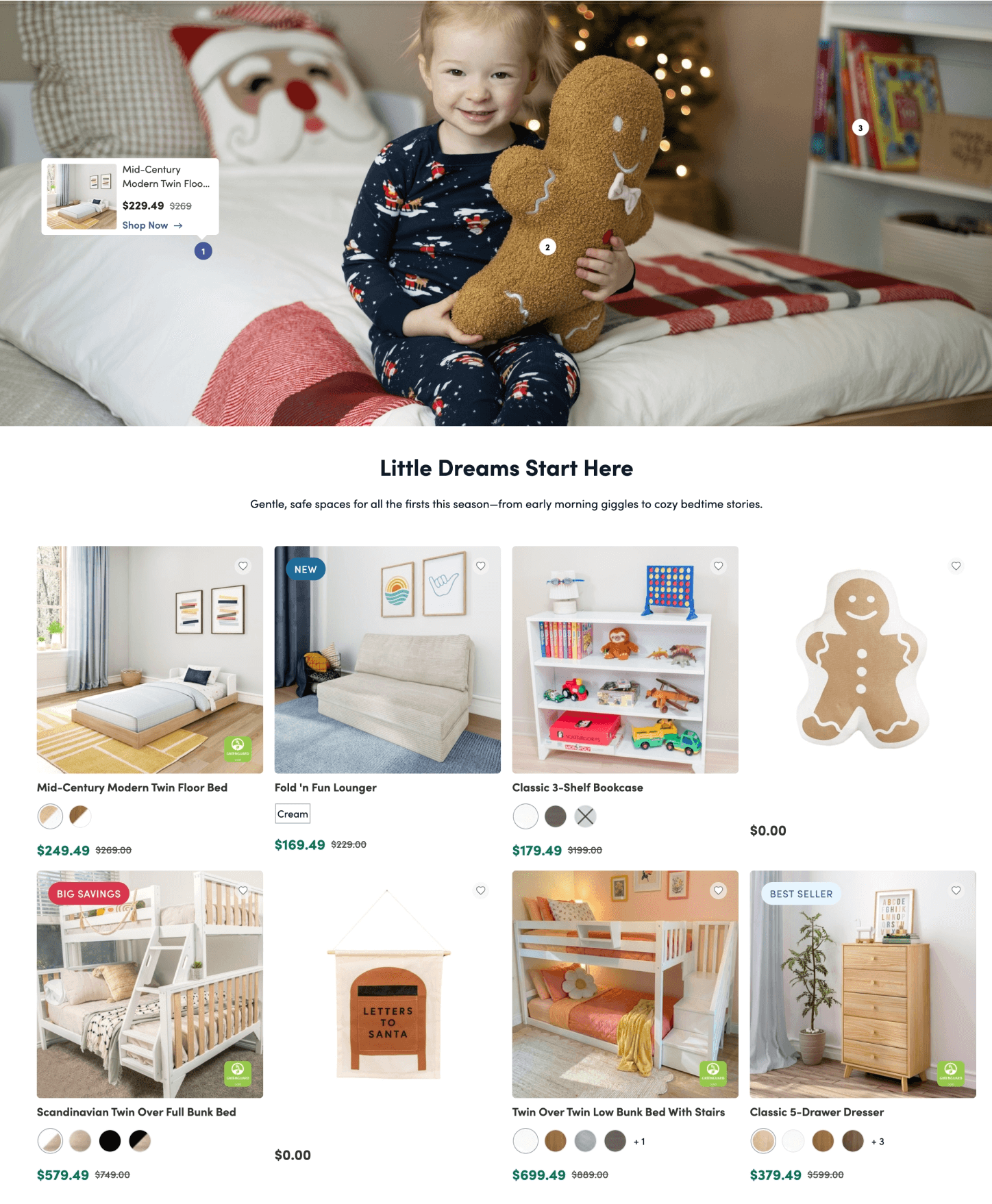
Targets parents of younger children or those furnishing a first 'big kid' room. Softer imagery, lower price-point items, and a mix of furniture and seasonal décor accessories.
The main image of this section contains a "shop the room" feature with buttons labeled 1, 2, and 3. When the user clicks those buttons, the product featured in the image is displayed.
Outcomes & Reflections
What Worked
Shopify Based-Sections vs. Third-party Integrations: while some third party tools often used to easily create more stylized sections were used sparingly, the page predominantly used developer coded sections which helped ensure better site performance (better FCP, LCP, speed index, etc.)
Images + Copy Creating Emotional Narrative: the combination of whimsical lifestyle images with creative copy helped to clearly convey the purpose of the page- it provided inspiration for thoughtful parents seeking to upgrade their child's room with furniture built to grow with them.
What I Would Improve
Global Timer: On mobile, the sitewide countdown banner stacks the timer onto a second line, which is eye-catching but pushes the hero image below the fold on smaller devices. A more compact single-line treatment for mobile would preserve urgency signaling without pushing the rest of the content further down.
Search Bar: The mobile navigation collapses to a hamburger menu, which is standard, but the search bar is surfaced prominently below the nav rather than nested inside it. It consumes more vertical real estate on the first scroll. Testing a more compact search treatment could improve hero visibility on mobile.
Page Navigation: For mobile users especially, it would be nice to have a page breakdown or filters that would scroll them to the appropriate section, so that users can immediately navigate to what section interests them the most, reducing scrolling and friction.